Frequently Asked Questions
Everything you need to know about Speakada, Anki, and getting the most out of your flashcards.
Getting Started
What is Anki?
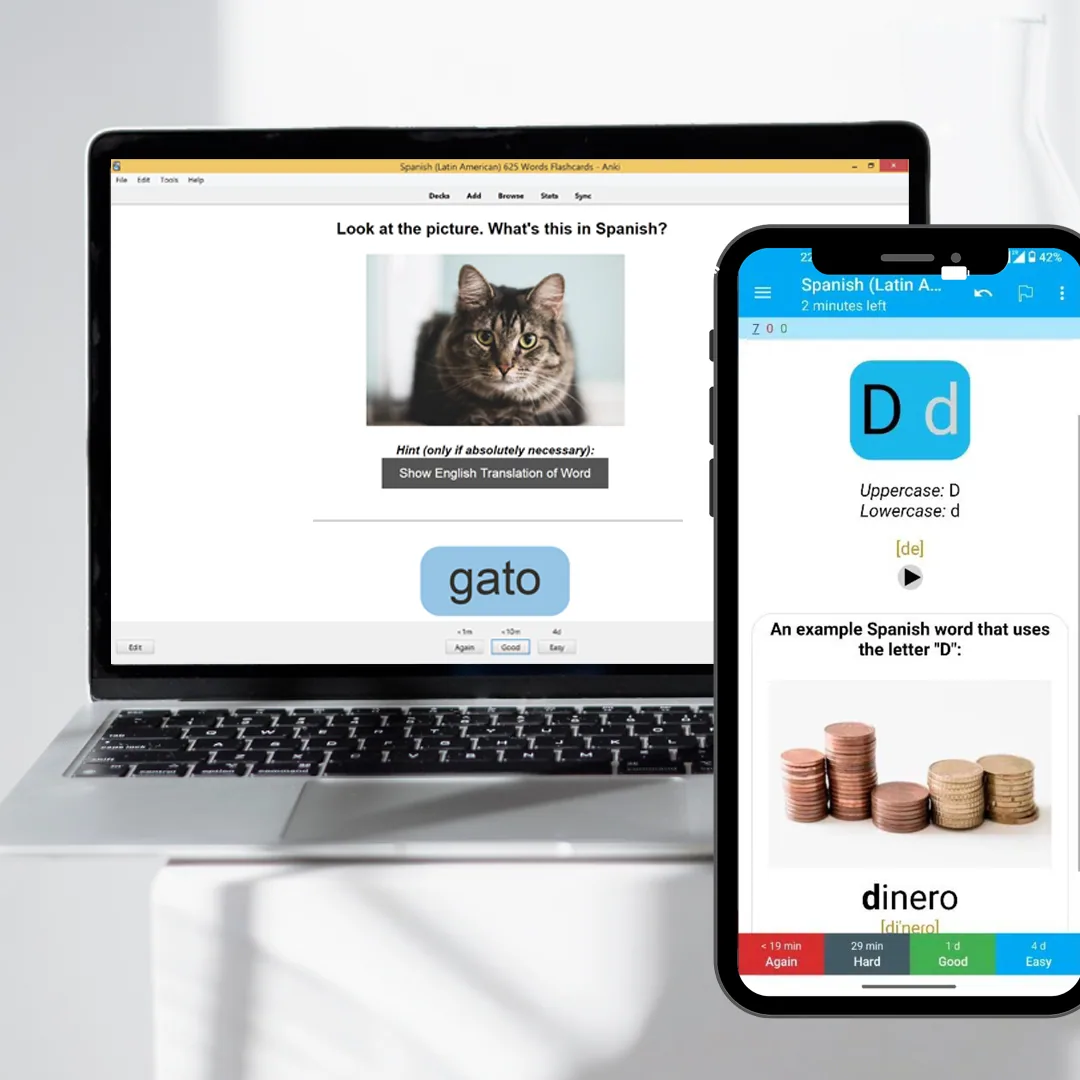
Anki is a free, open-source flashcard program built around spaced repetition, a learning technique backed by decades of cognitive science research. Instead of reviewing cards on a fixed schedule, Anki tracks your responses and shows each card right before you are likely to forget it, making study time far more efficient.
The desktop version for Windows, Mac, and Linux is completely free. AnkiDroid for Android is also free. AnkiMobile for iOS is a one-time paid app, with proceeds funding ongoing development. Download Anki from the official source at apps.ankiweb.net.
Are these subscriptions or one-time purchases?
Everything on Speakada is a one-time purchase. Once you buy a deck, you own the files permanently. No monthly fee, no licence renewal, no account to maintain. You also receive any future updates to that specific deck at no additional cost.
Do the flashcards include audio?
Yes. The vast majority of our flashcards, especially Pronunciation and Vocabulary decks, include high-quality audio.
Every card is built around the listen-then-recall model: you hear the word spoken correctly before you read it, which accelerates both recognition and accurate pronunciation.
Is Anki suitable for beginners, or is it better for advanced learners?
Both. Anki works at any proficiency level because the cards define the difficulty, not the app itself. Absolute beginners start with pronunciation basics and the top 100 to 500 most common words.
Intermediate and advanced learners use Anki to push into vocabulary territory that apps and textbooks rarely reach: CEFR B2 to C1. The structured A0 to C1 progression in Speakada's grammar decks means you never outgrow the system.
Can I use Anki offline and across multiple devices?
Yes to both. Anki is installed software, not a web app. It works entirely without internet.
To sync across devices, create a free AnkiWeb account at ankiweb.net, import your decks on desktop, and click Sync. Then log into AnkiDroid (Android) or AnkiMobile (iOS) and sync. Every review you complete on your phone updates your desktop history automatically.
Orders & Downloads
How do I get my flashcards after purchasing?
Instantly. After a secure checkout via Stripe, you receive an email within minutes containing a secure link to download your .apkg files. No account is needed. Just click the link and save the files to your computer.
My download link expired. What do I do?
For security, our signed download links expire after 24 hours. Simply reply to your download email or contact info@speakada.com and we will issue you a fresh link, no questions asked.
What file format are the decks in?
The decks are delivered as .apkg files, the native Anki format. It packages all card text, images, and audio into a single file for easy import.
You do not need to unzip or configure anything: just open the file and Anki handles the rest.
What if the deck is not what I expected?
Not as described? Tell us within 7 days and we will fix it or refund it.
Most of the time fixing it is faster and better for you: import errors, missing audio and blank cards are almost always resolved in under 5 minutes, so contact us first and tell us what you are seeing. If we cannot make the deck match what the page promised, you get your money back.
Because the decks are digital files you keep forever, this covers a product that is significantly not as described rather than a change of mind.
Using the Decks
How do I import the decks into Anki?
On desktop, open the Anki app, click File › Import, and select the .apkg file you downloaded. Anki will automatically unpack the cards and media into your collection.
You can also import directly on your phone without needing a desktop first. On Android, download the .apkg file to your device and open it with AnkiDroid. It imports automatically. On iOS, download the file and open it from Safari or the Files app, then tap "Open in AnkiMobile." Both mobile apps handle the full import on their own.
Can I use these on my iPhone or Android?
Yes. The fastest option is to import directly on your phone, with no desktop required. On Android, download the .apkg file to your device and open it with AnkiDroid. On iOS, download the file and tap "Open in AnkiMobile" from Safari or the Files app.
Alternatively, if you want your progress synced across both desktop and mobile, import the decks on your desktop first, click Sync, then log into AnkiDroid or AnkiMobile and sync. Either way, once you have a free AnkiWeb account your review history stays in sync across all devices automatically.
Can I edit the flashcards?
Yes. Once imported into Anki, the cards are fully yours. You can change images, update translations, add personal notes, or modify any field to match your learning style.
Editing is done in the Anki card browser. Select a card and click Edit.
How many new cards should I study per day?
The research-backed range for most adult learners is 10 to 30 new cards per day. Below 10 and progress is too slow; above 30 and review debt accumulates quickly, leading to burnout.
A sustainable target for 15 to 20 minutes of daily study is around 15 to 20 new cards. Keep in mind: each new card generates roughly 4 to 6 future review repetitions over the following weeks, so 20 new cards per day means committing to roughly 100 future reviews.
Consistency beats intensity, and 15 minutes daily is far more effective than 2-hour weekend sessions.
How do I keep my review load manageable as the deck grows?
Set a daily new card limit in Anki's deck settings (under Options › New cards/day). Start at 10 to 15 and increase only when your daily session consistently finishes in under 20 minutes.
If your review queue grows faster than you can clear it, pause new cards for a week until the backlog drops. Anki's built-in statistics show your current daily review load and projected future load, which is worth checking monthly to stay ahead of it.
Choosing the Right Deck
I am not sure which deck to start with. Where should I begin?
Start with the Pronunciation Bundle for your target language if you are learning from scratch. Pronunciation is the hardest skill to unlearn later and the most often skipped. Getting your ear and mouth calibrated to the phoneme inventory of the language first means every vocabulary card you study afterward is anchored to correct sound, not a misremembered approximation.
After Pronunciation, move to the Vocabulary Bundle, then the Grammar Bundle.
If you are already at intermediate level, the Vocabulary Bundle (Top 2000 + 2001 to 5000 Words) is usually the highest-leverage purchase.
What is the difference between individual decks and bundles?
Individual decks cover one skill type or level, for example, the French Top 2000 Words Vocabulary deck. Bundles combine multiple related decks at a significant discount.
A full Pronunciation + Vocabulary + Grammar bundle gives you the complete system for a language in one transaction, typically at 30 to 40 percent off the individual deck prices. Bundles are almost always better value if you plan to use the language seriously: for job relocation, a proficiency exam, or reaching B2 and above.
What is the difference between Pronunciation, Vocabulary, and Grammar decks?
Pronunciation decks use minimal pairs and IPA phonetic transcription to train your ear and mouth to the sounds of the language, especially valuable for sounds that do not exist in English.
Vocabulary decks are built from academic word frequency research (Paul Nation's methodology) and cover the most common words ordered by how often they appear in real speech and text.
Grammar decks cover grammatical structures from A0 (absolute beginner) through C1 (advanced), presented as pattern-based flashcards rather than rule memorisation. Most serious learners use all three types in parallel, starting each from the A0 level.
What makes Speakada decks different from free Anki shared decks?
Free shared decks on AnkiWeb are user-generated and vary wildly in quality: inconsistent formatting, missing audio, spelling errors, random vocabulary selection, and no logical progression from beginner to advanced.
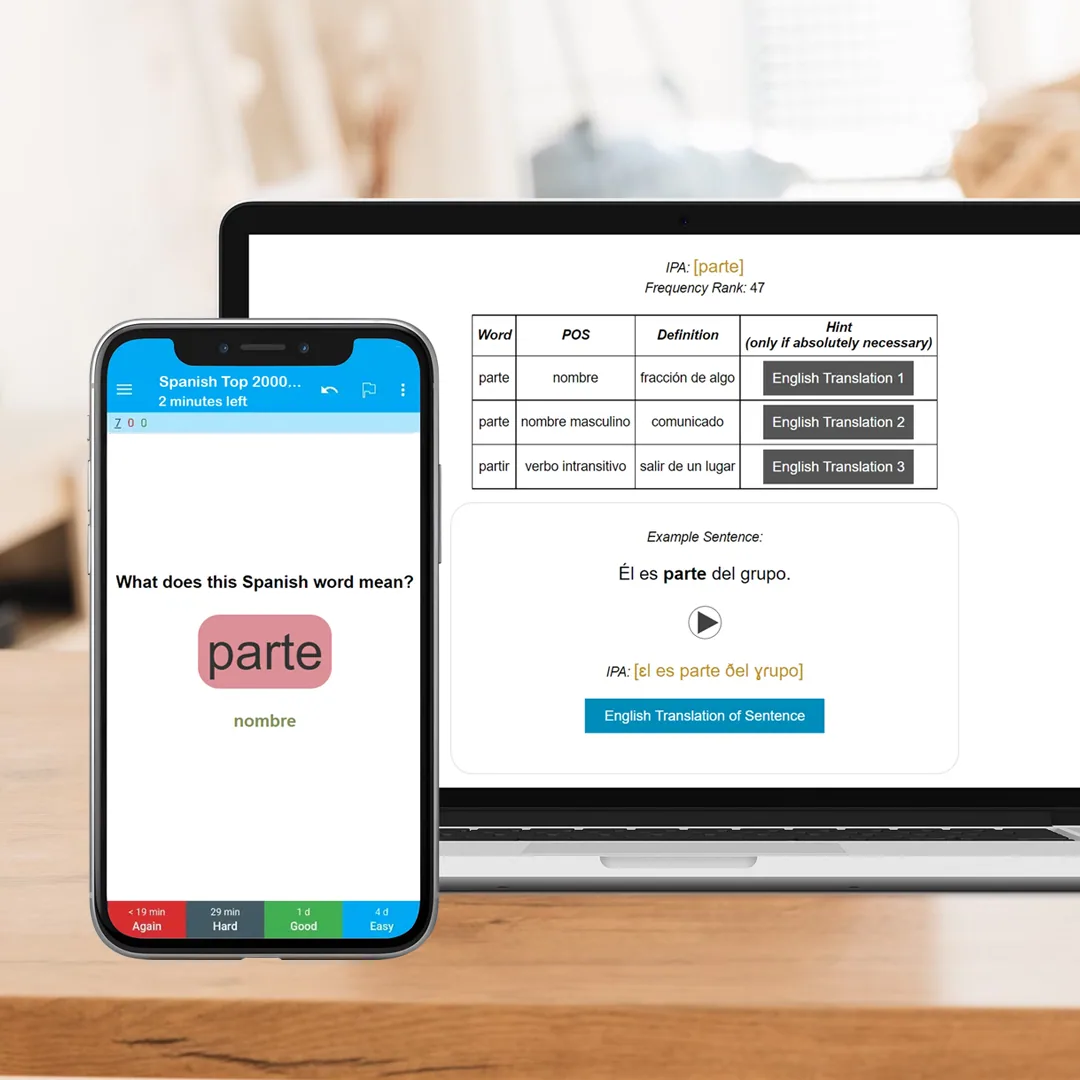
Speakada decks are professionally built with a uniform card format across every card (IPA, high-quality audio, translation, and example sentence), vocabulary sourced from academic frequency research, a structured A0 to C1 progression with no gaps or duplicates, and high-quality audio throughout.
Matthew, Speakada's founder, worked directly for Gabriel Wyner, author of Fluent Forever. The methodology is grounded in the same cognitive science framework.
I am a complete beginner. Which level should I start with?
There are two common approaches. Choose based on how you prefer to learn:
Option 1, quick cross-skill start: Begin with the Alphabet deck from the Pronunciation Bundle, then the 500 Picture Words deck from the Vocabulary Bundle, then Grammar at A0. This gets you building all three skills from day one and suits learners who want early variety.
Option 2, skill-by-skill progression: Complete the full Pronunciation Bundle first, then work through Vocabulary and Grammar together level by level: Beginner (A0–A1), then Intermediate (B1–B2), then Advanced (C1). This suits learners who prefer to master one area deeply before layering in the next.
All Speakada decks include the proficiency level in the product name or description. Do not worry about starting too low. Even if you already know some basics, entry-level decks typically cover material you did not know you were missing, and Anki advances you quickly through cards you have already mastered.
Do you have IELTS-specific decks?
Yes. We have a complete IELTS deck range covering the vocabulary, grammar, and pronunciation patterns most frequently tested in the IELTS Academic and General exams, available in both American English (US) and British English (UK) variants.
The IELTS Vocabulary deck focuses on the academic word list and high-frequency IELTS topics such as education, environment, technology, and globalisation. The Grammar deck covers the sentence structures that examiners specifically reward at Band 7 to 9.
These decks are built for test-takers targeting Band 6.5 and above. Find them on our IELTS flashcards page.
Results & Study Tips
How long until I see results?
Most learners notice meaningful vocabulary recall improvement within 2 to 4 weeks of consistent daily study (15 to 20 minutes per day). At the 3-month mark, most learners have internalised 500 to 1,000 new words, which corresponds to CEFR A2 to B1 for common vocabulary. Grammar pattern recall typically takes 6 to 12 weeks for reliable recall on new structures.
The key variable is consistency, not intensity. Spaced repetition only works because the algorithm spaces reviews at the optimal biological interval. Skipping days disrupts the schedule and increases review debt.
How much time should I spend studying each day?
15 to 30 minutes daily is the research-backed sweet spot for most adult learners. Below 10 minutes and you will barely get through your due reviews; above 45 minutes and cognitive fatigue reduces retention.
The daily review load grows proportionally to how many new cards you add. Start conservatively at 10 to 15 new cards per day and increase only once your daily session consistently finishes in under 20 minutes.
What if I miss a few days of study?
Missing days creates review backlog, since cards that were due pile up and must be cleared before Anki resumes normal scheduling. This is normal and recoverable.
If you miss 3 to 5 days, do not try to catch up all at once: resume your normal daily session and let the scheduler work through the backlog over the following days. If you miss 2 or more weeks, use Anki's custom study feature to prioritise the oldest due cards.
The spaced repetition algorithm is robust to occasional gaps; it only breaks down when months pass without any study at all.
Can I use the decks alongside other learning methods?
Yes, and this is recommended. Anki handles the memory consolidation layer, encoding new information and reinforcing it at the optimal interval.
It works best when paired with input exposure (reading, listening, and watching content in your target language), speaking practice (with a tutor, language exchange partner, or an app), and a grammar reference to understand the reasoning behind the patterns you are memorising.
The Speakada decks handle structured recall with scientific precision; other methods handle production and immersion.
What if the decks feel too easy or too hard for my current level?
Anki adapts automatically within a deck: rate cards Easy and the review interval lengthens; rate them Again and they reappear the same day until the material is solid.
If an entire deck feels too advanced, start at the level below: the structured A0 to C1 progression means there is always a lower entry point. If you are unsure which level is right for your current proficiency, contact us and we will point you to the right starting deck.
Still have questions?
If you couldn't find the answer you're looking for, we're here to help.
Contact Support